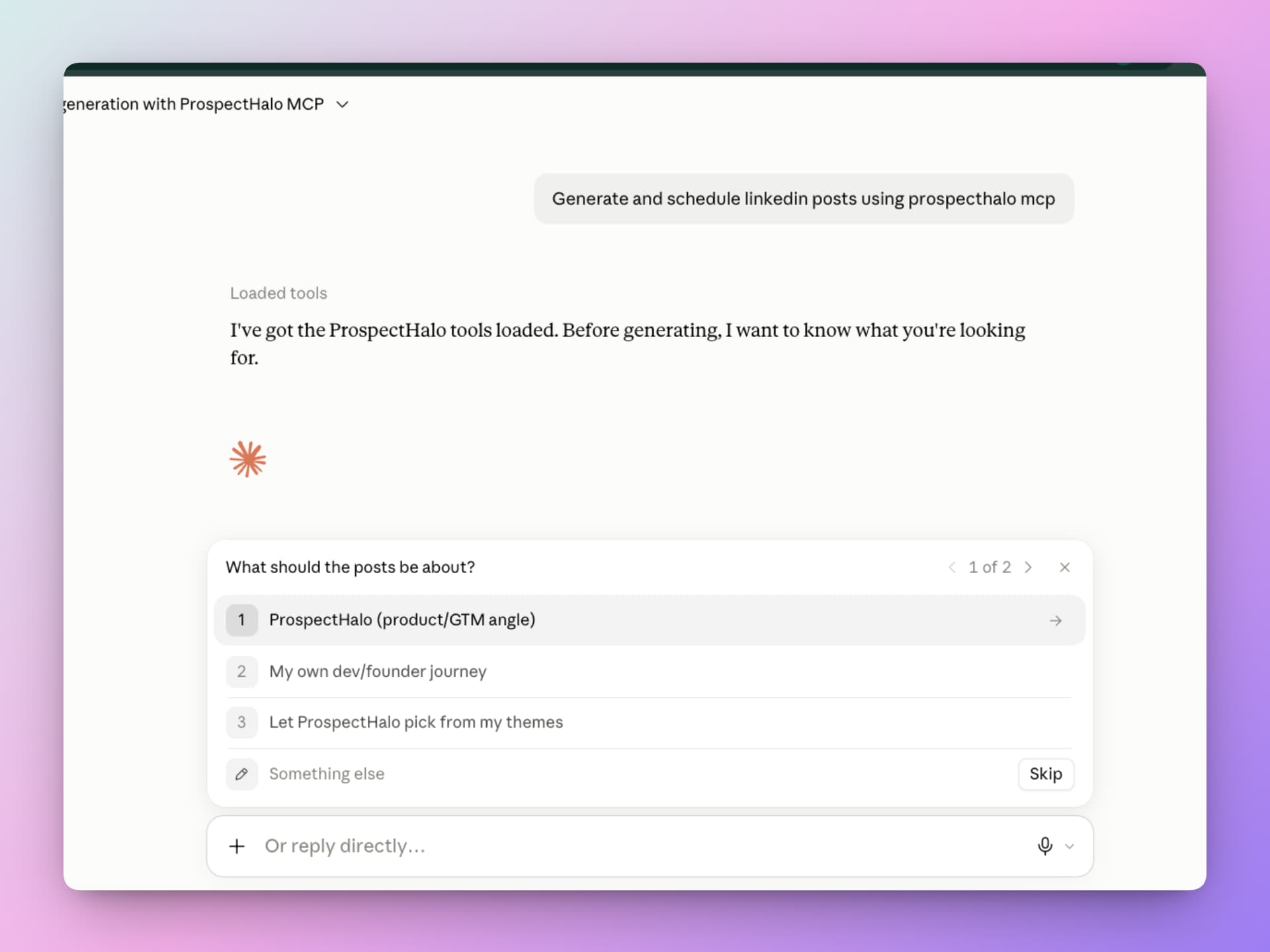
Talk to ProspectHalo inside  Claude.
Review leads, manage outreach, and prepare LinkedIn content from a conversation. Tell Claude what you need. ProspectHalo does the work.
Connect once. Then just ask.
Add your connector, sign in, and review the requested access. No API key needed.
- 1In ProspectHalo
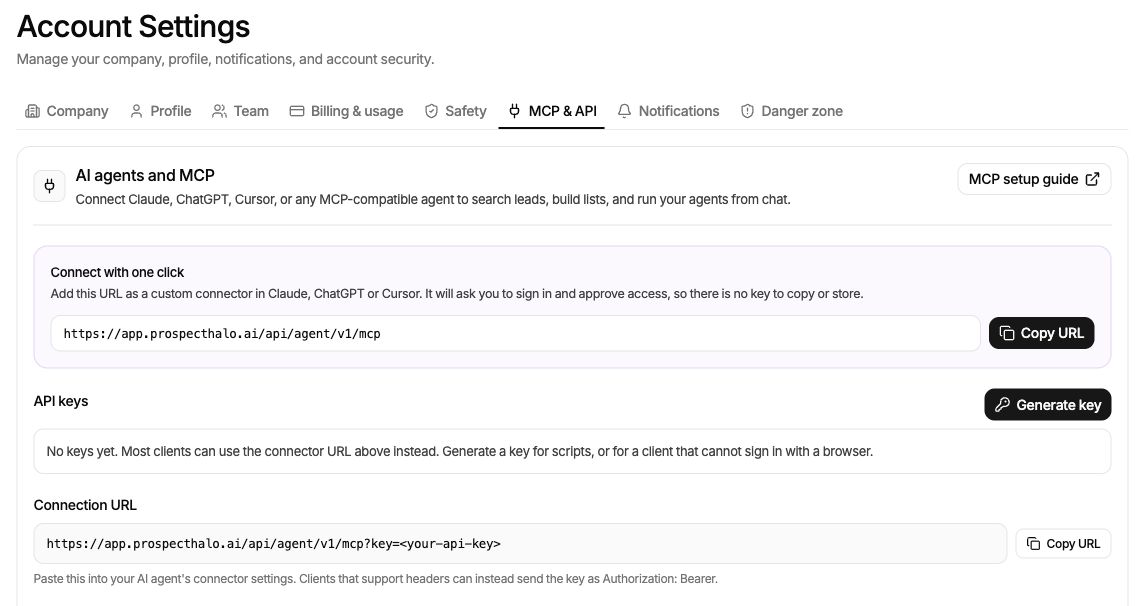
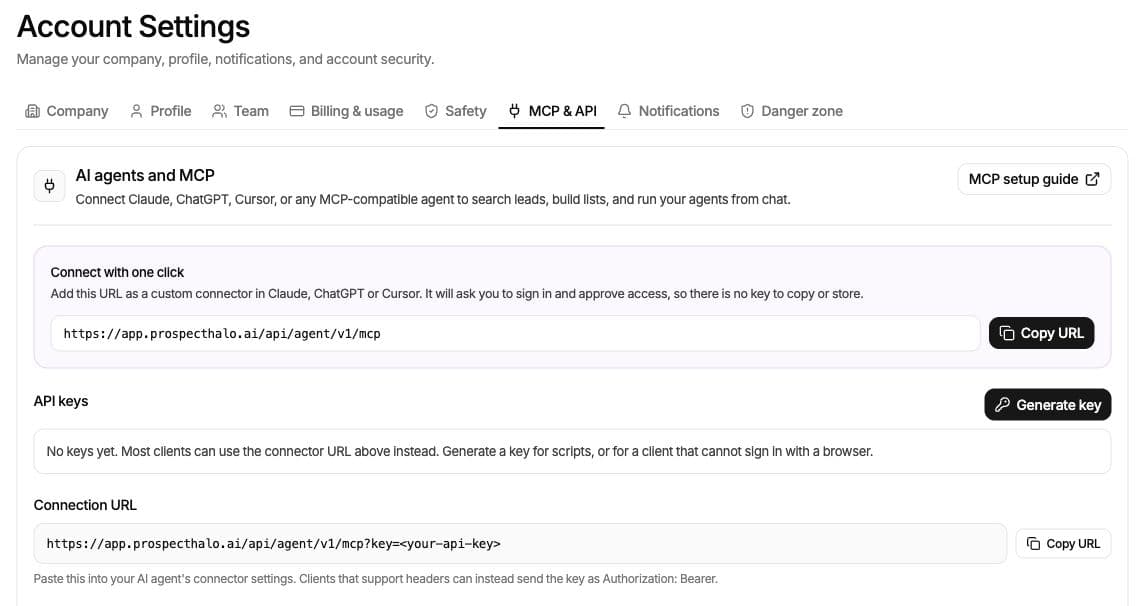
Copy your connection URL
Open Settings, then MCP & API. Your connector URL is ready to copy, with no key to create or keep track of.
- 2In Claude
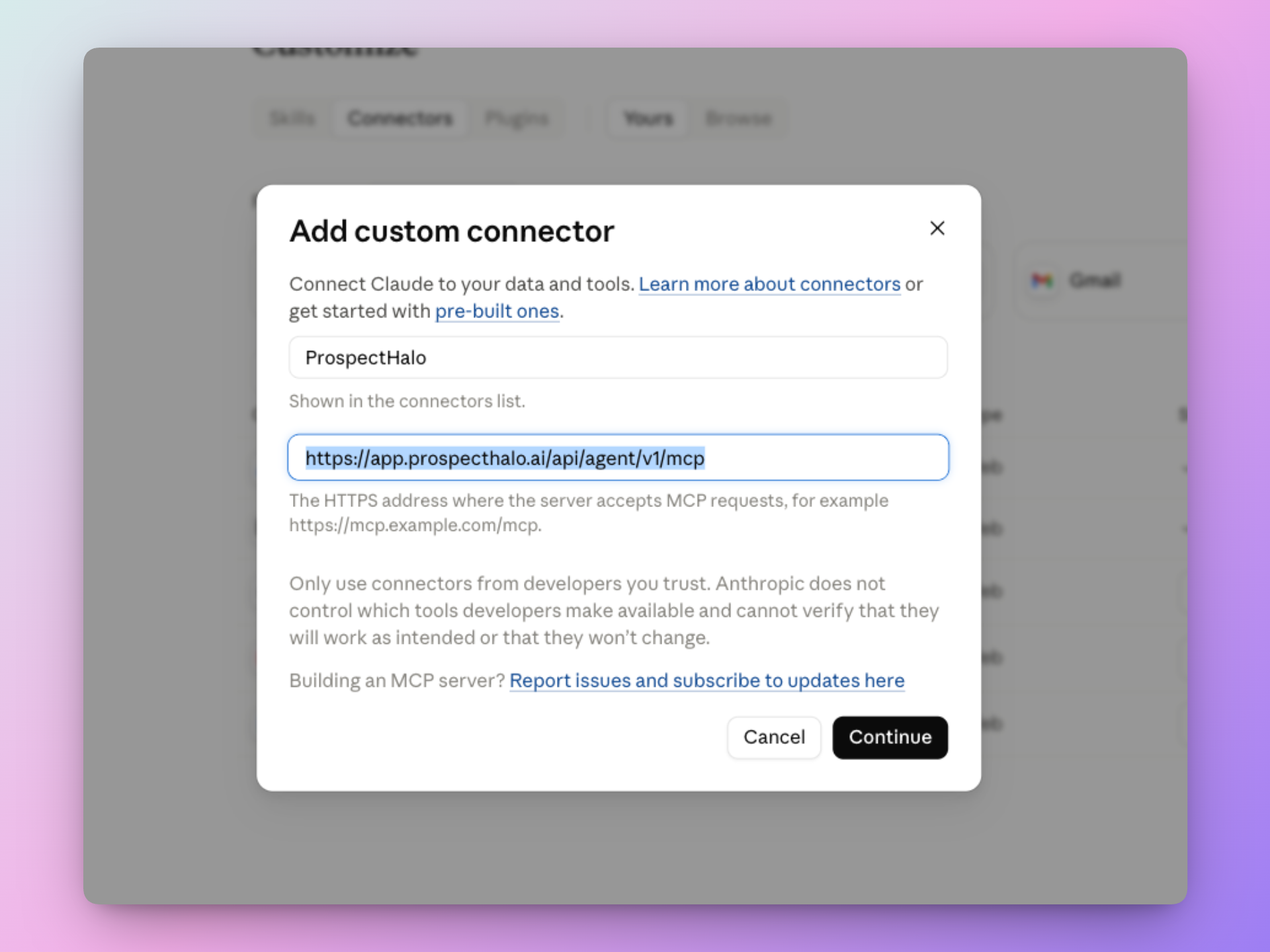
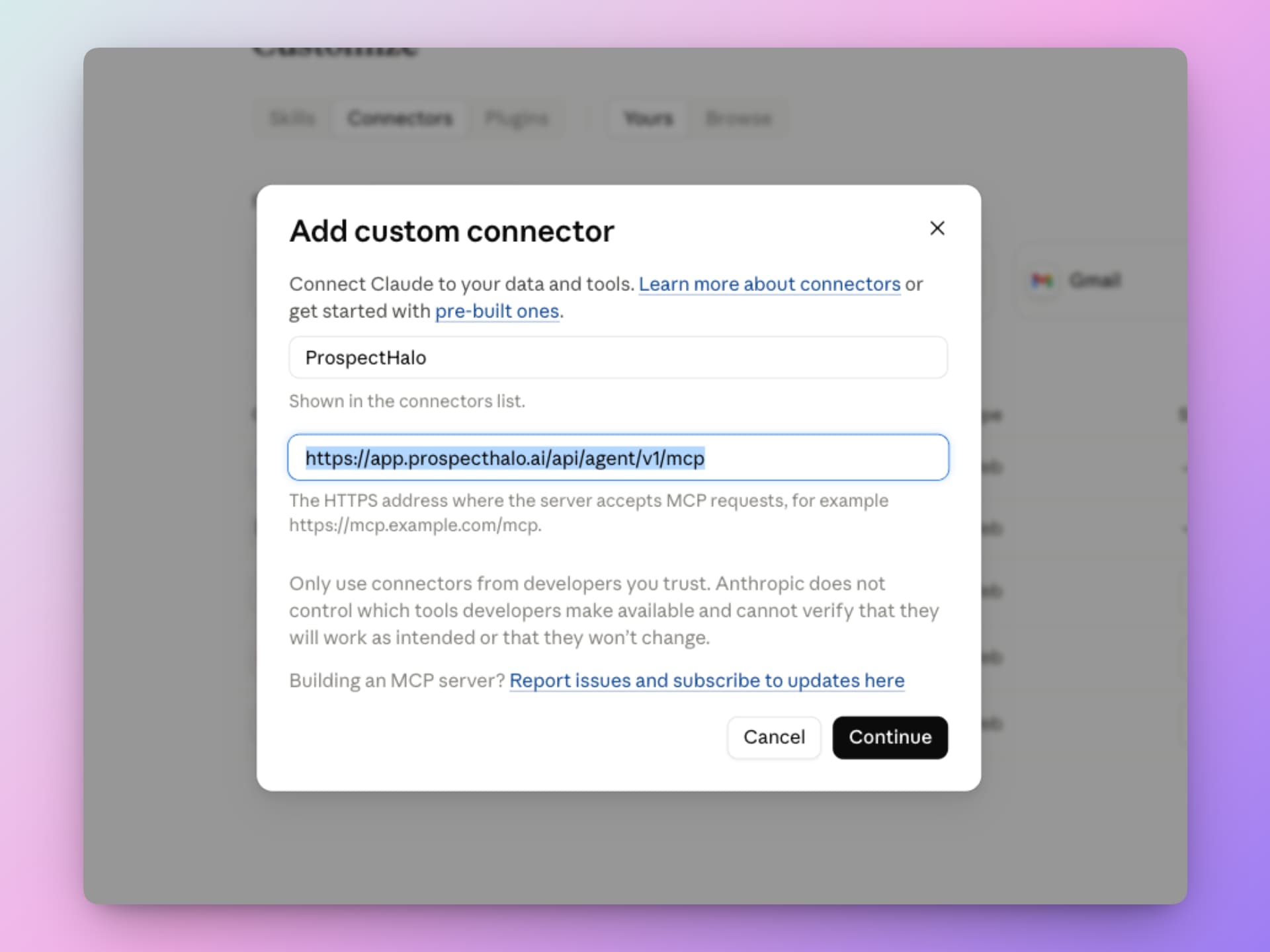
Add ProspectHalo to Claude
Add a custom connector named ProspectHalo and paste the URL. Sign in and approve access to connect your workspace.
- 3Ask Claude
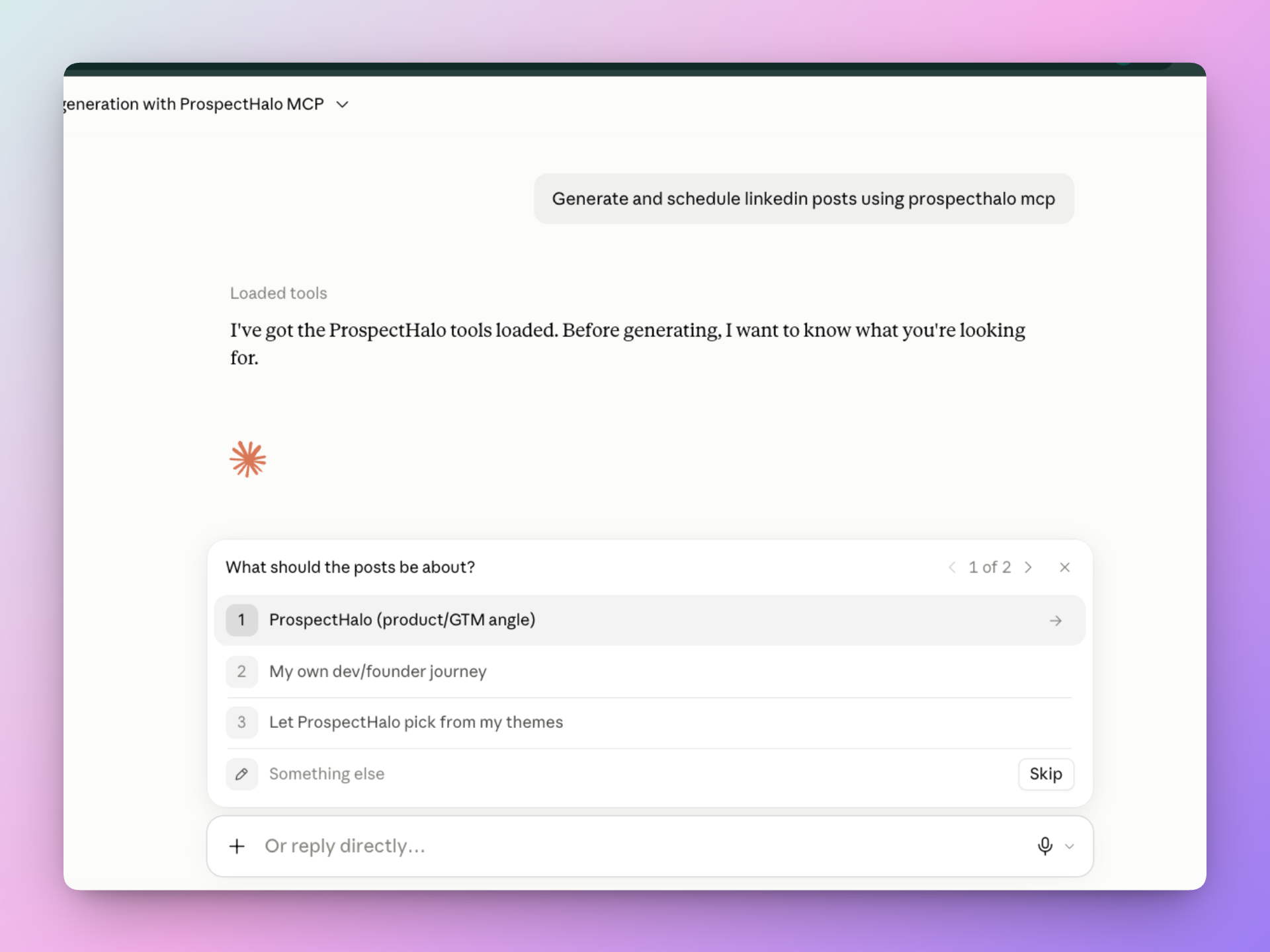
Tell Claude what you need
Start a conversation and tell Claude what you want to do. Try “Generate and schedule LinkedIn posts using ProspectHalo.” Claude asks for the details it needs.